Product update
Smarter campaign audience targeting
Filter campaign audiences by CRM stage, customer type, and lead source—and import those fields from spreadsheets for sharper outreach lists.
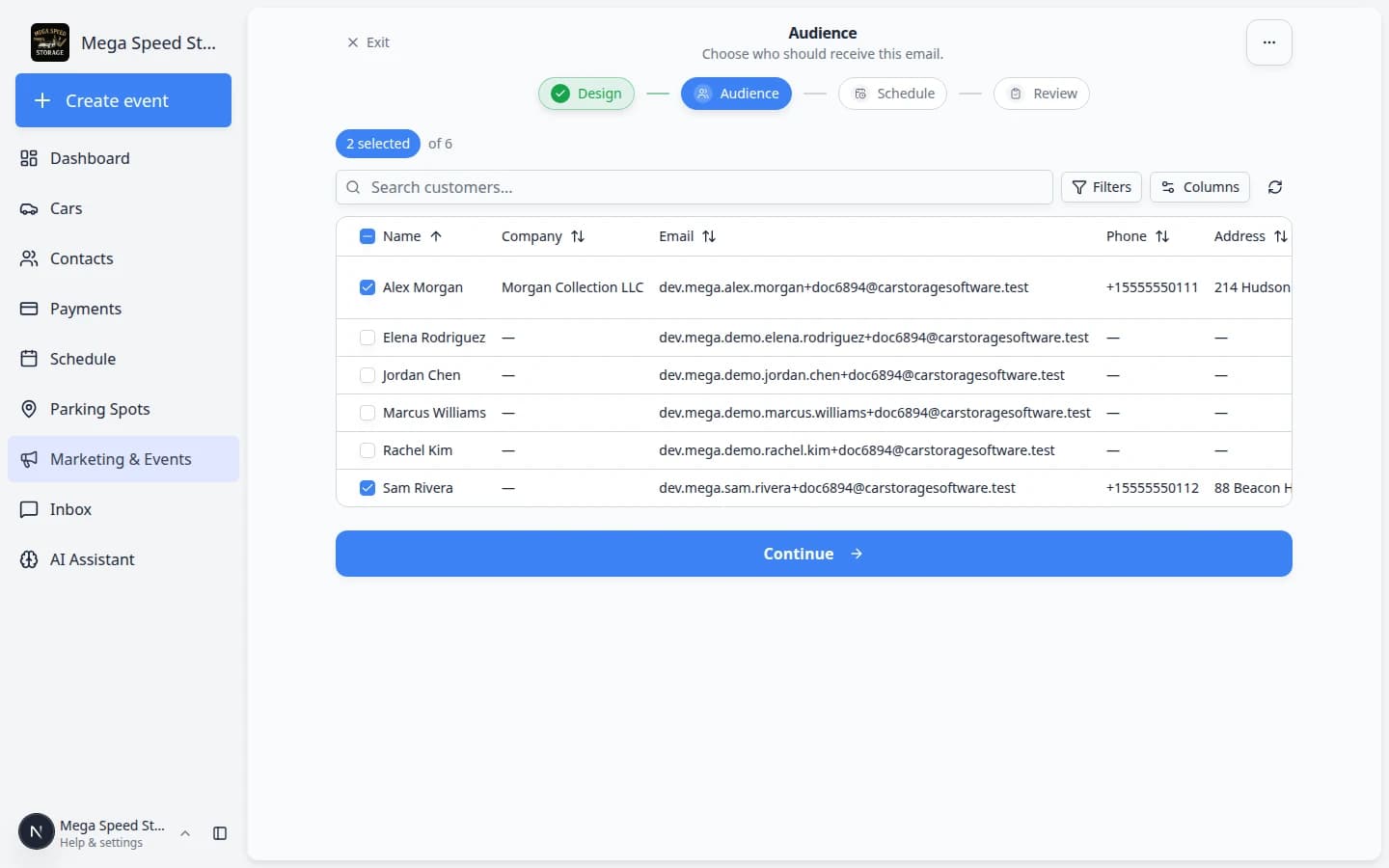
A campaign is only as good as the list behind it. “Everyone” is rarely the right answer.
Why we built it
Facilities segment customers by pipeline stage, customer type, and how they found you long before marketing sends a message. Campaign audience setup now respects those same CRM fields—filter in the wizard instead of exporting, filtering in a spreadsheet, and re-importing names. Customer imports can carry stage, type, and lead source columns so migrated data is targetable on day one.
Who it is for
- Marketing leads running storage reminders, event invites, or renewal emails to a subset of contacts.
- Teams that already use CRM stages on the Contacts board.
- Facilities onboarding legacy customer lists who need stage and source on records before the first campaign.
What you can do
- On a campaign’s Audience step, narrow recipients by CRM stage, customer type, and lead source.
- Combine filters with search and inclusion toggles so only intended contacts receive the send.
- Import customers with CRM fields from a spreadsheet so filters work on imported rows.
- Review recipient counts on the Review step before you publish or schedule.
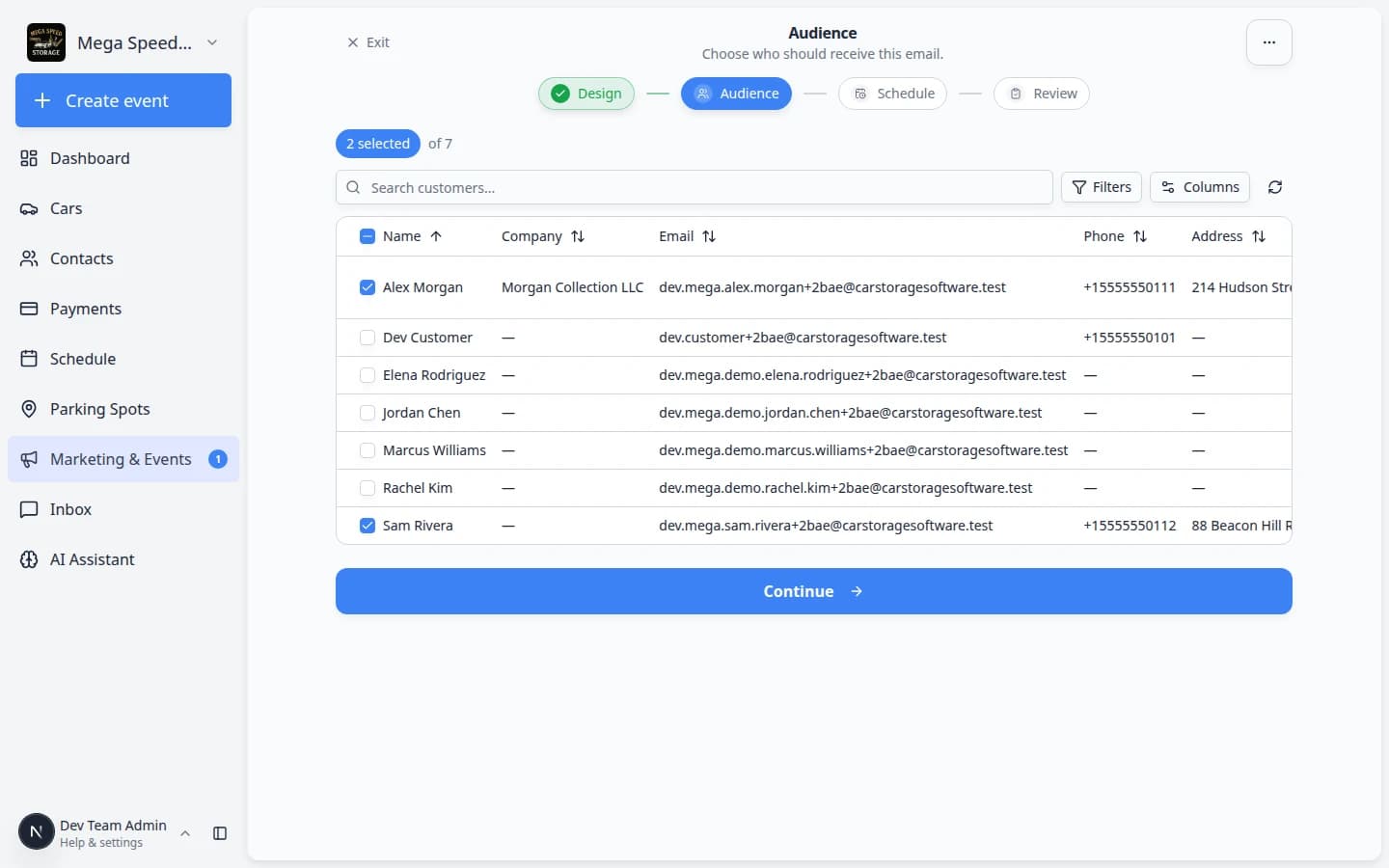
How it fits your day
Clean CRM data makes filters trustworthy. Admins maintain stages, types, and sources in Settings → CRM; staff keep records current when leads convert or sources change—see Manage contact tags. For the full publish path after audience selection, use Add campaign message, audience, and publish.
Get started
Open Marketing & Events, create a campaign, and work through Audience after Design. If filters look empty, import or edit contacts so CRM stage, customer type, and lead source are populated—Import customers and cars.
Questions about this update?
Book time with our team or browse the rest of the changelog.