Product update
Richer invoice reporting
Invoice reports add paid/unpaid filters, line-item summaries on each row, and exports that match the totals you see on screen.
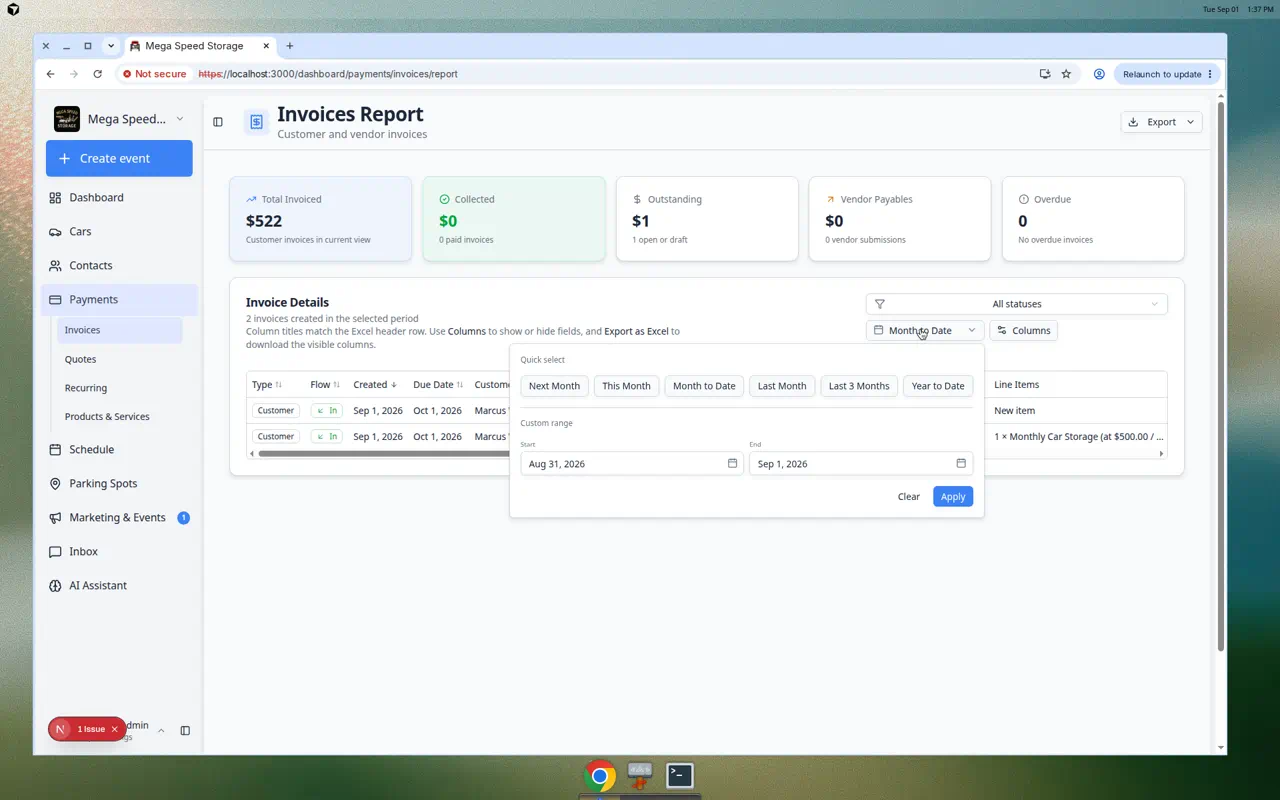
Month-end review should answer “what was on this invoice?” without opening every PDF.
Why we built it
The Invoices Report already supported date ranges and summary cards. Richer invoice reporting layers three improvements: paid / unpaid filters with summary totals that recalculate for the visible rows (Clearer invoice report filtering), a Line items column with a short per-invoice summary in the grid and export, and the existing subtotal, tax, and fee breakdown from More detailed invoice report exports. Bookkeepers reconcile AR and cash in one pass; ops can spot odd invoices from the table alone.
Who it is for
- Billing leads exporting month-end workbooks for owners or accountants.
- Staff chasing unpaid rows who need Outstanding cards to match the filtered list.
- Teams using Clearer invoice fee reporting who also need service descriptions in the export.
What you can do
- Filter Paid only or Unpaid only and read Collected / Outstanding for that slice.
- Enable Line items in Columns to scan what each invoice billed without opening detail.
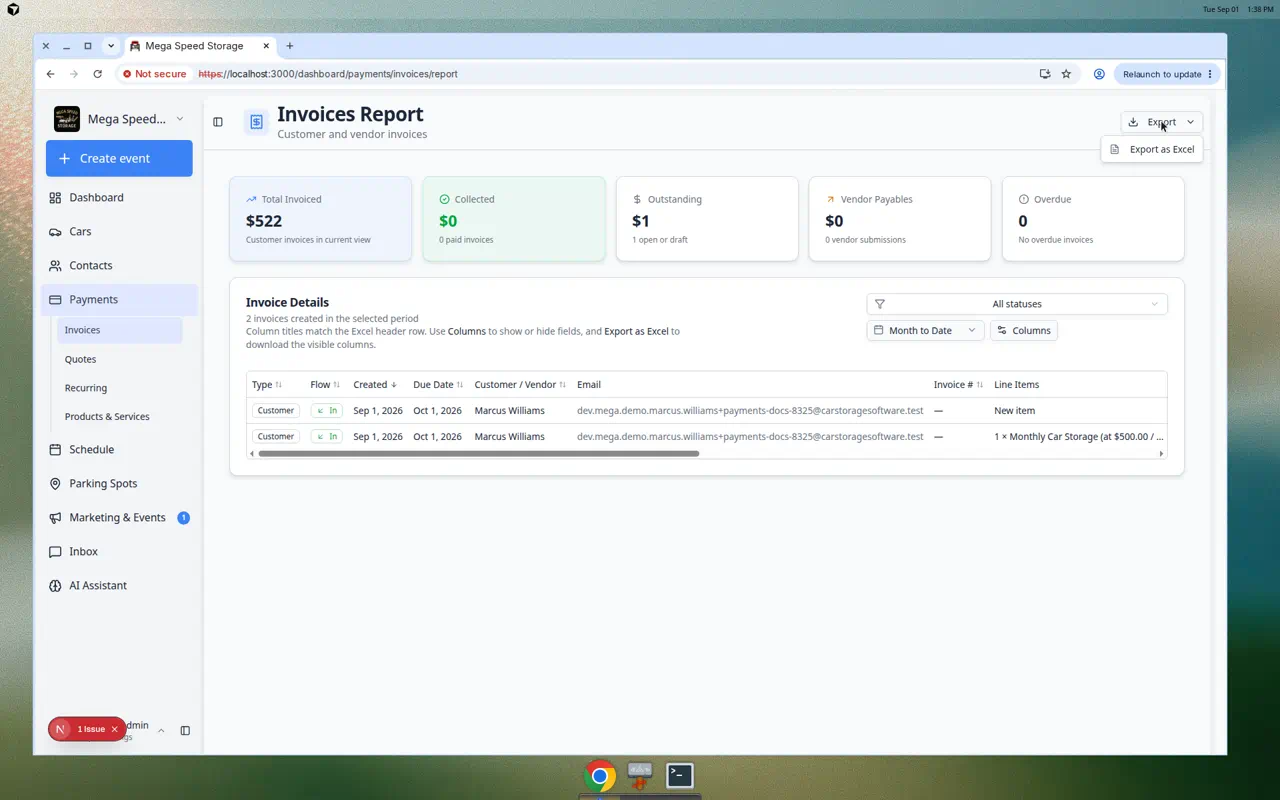
- Export Excel with the same columns and footer totals as the filtered view.
- Follow Review the invoices report for the full workflow.
How it fits your day
Run Month to date, set Unpaid only, sort by due date, skim Line items for disputes, then export the same view for collections follow-up.
Get started
Open Invoices Report, enable Line items, filter to Paid only, and confirm the Excel footer Collected matches the on-screen summary card.
Questions about this update?
Book time with our team or browse the rest of the changelog.