Product update
Faster follow-through with the Facility Assistant
Review and confirm customer, vehicle, and scheduling proposals in the chat, then jump to records and schedule pages from success cards and shared links.
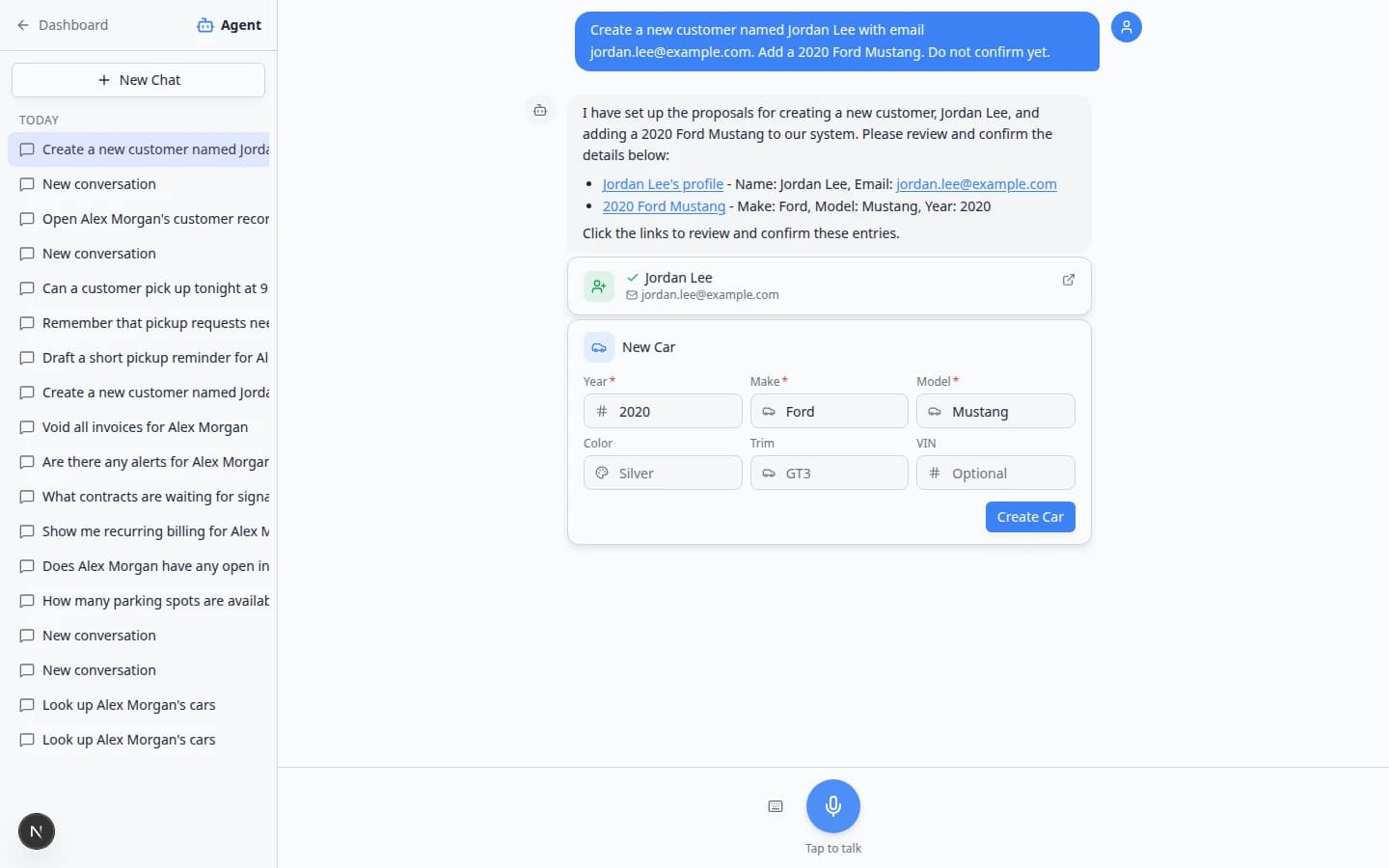
Drafting work in chat only helps if you can approve it and land on the right record in one motion.
Why we built it
Staff already used the Facility Assistant to draft customers, cars, and appointments, but the handoff to real records sometimes meant re-searching the dashboard. Faster follow-through with the Facility Assistant keeps proposal cards in the conversation—edit fields, then Confirm All or a single Create action without leaving the thread. After confirmation, success cards link straight to the live customer, vehicle, or Schedule entry. Lookup answers and shared summaries include clickable links and optional Go now navigation so the next step is one tap away.
Who it is for
- Front desk staff preparing intake while a customer is on the phone.
- Managers who want proposals reviewed in chat before anything hits production data.
- Teams already using Location aware facility assistant lookups who also create records from the same session.
What you can do
- Ask for new customers, cars, appointments, or updates and receive proposal cards in the thread.
- Fix typos on the cards, then confirm in place—see Review AI proposals for the full checklist.
- Open the created record from the green success card instead of searching Contacts or Cars again.
- Use Go now / Cancel when the assistant offers navigation to a related dashboard page after a lookup.
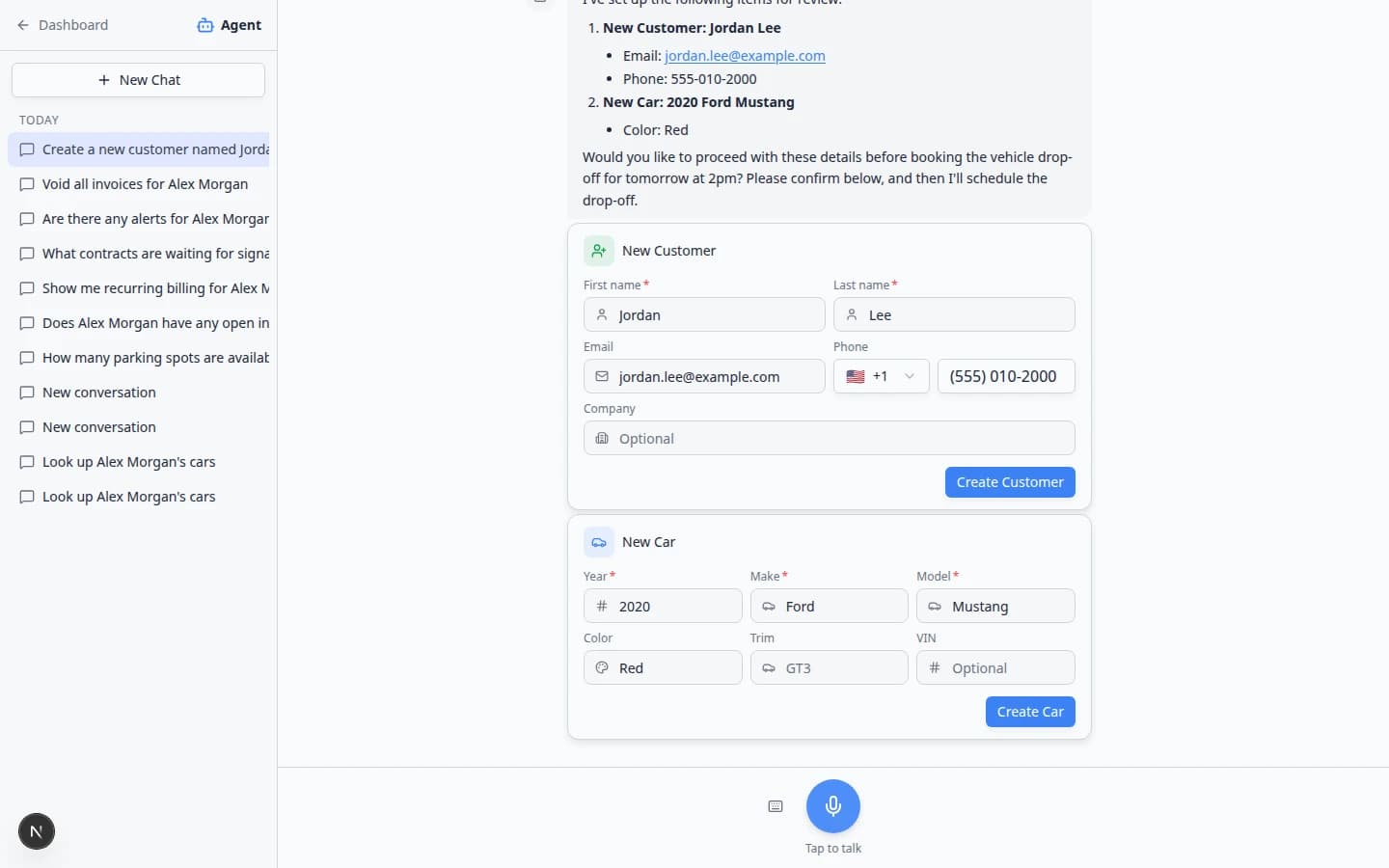
How it fits your day
Use the web assistant when you need cards and Confirm All. iMessage facility assistant is better for quick lookups on your phone; heavy creation still belongs in the browser where you can review every field. For message drafts the assistant prepares, copy into Inbox after you edit—see From AI draft to customer message.
Get started
Walk through Prepare work with the AI Assistant with a test request (new customer + car + drop-off), confirm once every field looks right, and click through the success card to the schedule entry.
Questions about this update?
Book time with our team or browse the rest of the changelog.