Product update
Self-serve API access
Enable the public API from Settings, create read-only keys, and open interactive docs—without waiting on support.
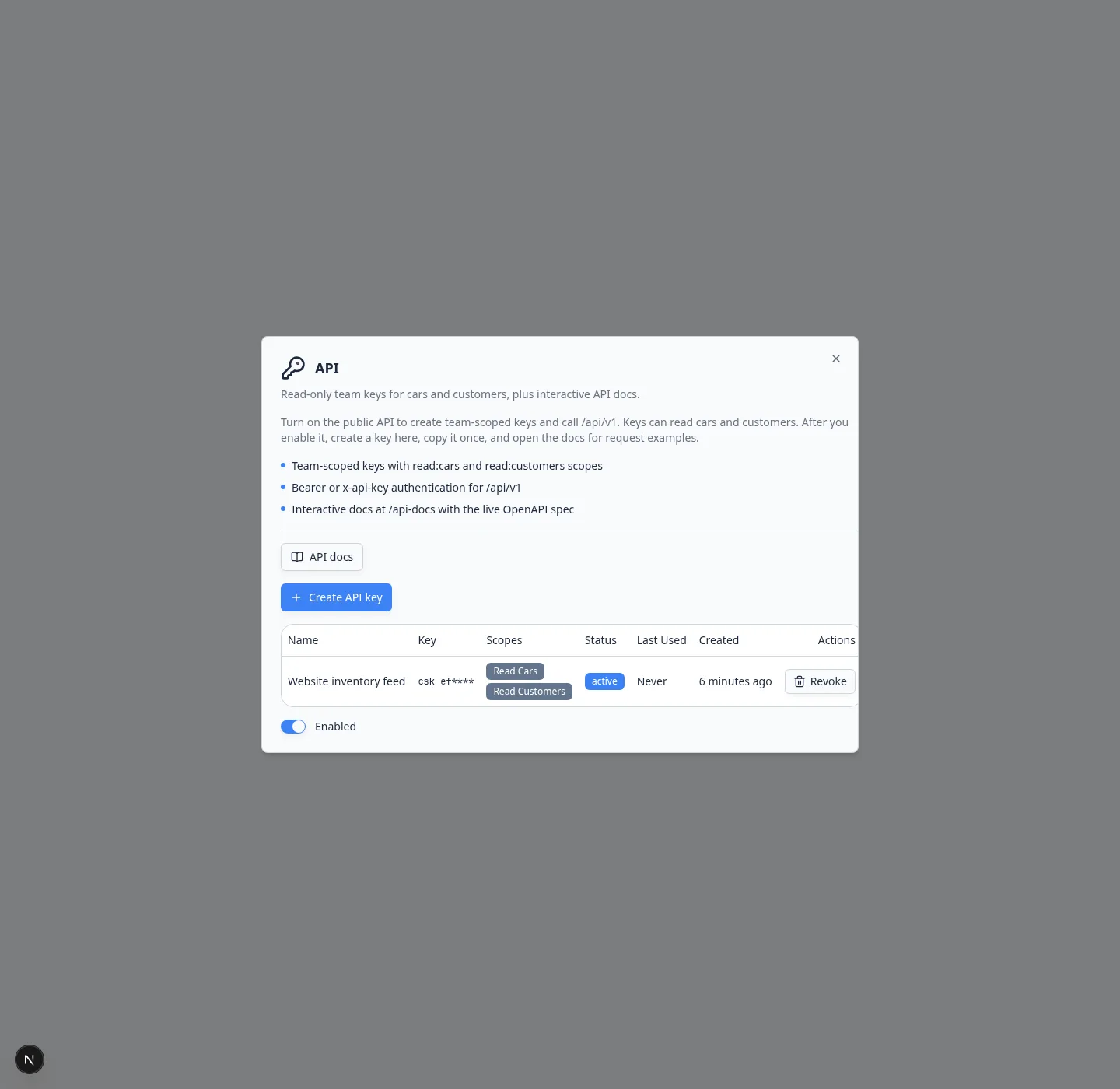
Teams connect reporting tools, signage, access control, and custom workflows to facility data every day. Self-serve API access puts keys and documentation in Settings so developers and vendors can move at your pace.
Why we built it
Waiting for an admin flag slows integrations that should take an afternoon. Facilities can enable the API when they are ready, issue read-only keys for safer experiments, and share interactive docs from the same dialog.
Who it is for
- Operators connecting third-party tools
- Developers building custom dashboards or automations
- Vendors who need stable read access to cars and customers
What you can do
- Enable Public API from Settings → Integrations without a support ticket.
- Create API keys, including read-only keys for cars and customers.
- Open interactive API docs from the integration dialog.
- Rotate or revoke keys when staff or vendors change.
Get started
Follow Connect the API. Need a guided integration review? Book a demo.
Questions about this update?
Book time with our team or browse the rest of the changelog.