Product update
Motorcycle parking spots
Create individual or bulk floor-plan spots with a half-size motorcycle footprint so bikes and scooters map accurately on your parking layout.
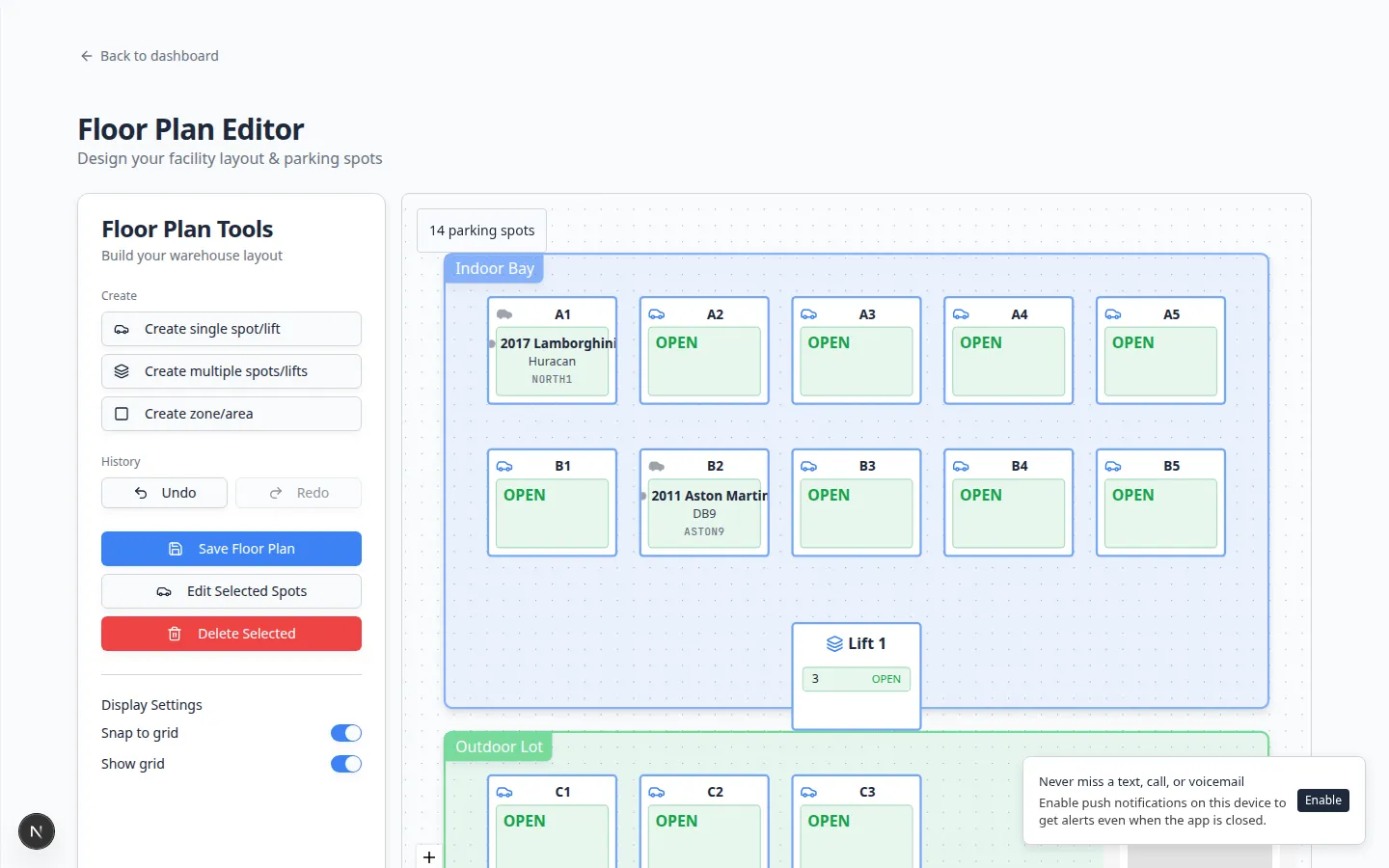
A full car rectangle is the wrong shape for a row of vintage bikes.
Why we built it
Collector facilities store motorcycles and scooters alongside cars, but standard spot footprints wasted map space and made dense bike rows hard to draw. Motorcycle parking spots add an Motorcycle spot (half size) toggle when creating or bulk-generating spots in the floor plan editor. Those spots use a compact half footprint (half the default width and height in grid units), persist as motorcycle spots in the database, and cannot combine with lift spots on the same cell. Maps and assignments treat them as real parking capacity—not oversized car slots.
Who it is for
- Operations staff editing layouts under Settings → Floor plan.
- Facilities mixing car storage with dedicated bike bays or scooter lockers.
- Teams that also track partial capacity weights on zones for oversized vehicles or shared areas.
What you can do
- Turn on Motorcycle spot (half size) when adding a single spot on the canvas.
- Enable Motorcycle spots in bulk spot creation to stamp a grid of compact bays.
- Edit an existing spot in the spot dialog to switch motorcycle mode (dimensions update to the half footprint).
- Assign bikes to motorcycle spots from parking workflows with a footprint that matches the label on the map.
How it fits your day
Draw a dedicated bike row with bulk motorcycle spots before season intake. Keep lift and motorcycle flags mutually exclusive so capacity and UI stay consistent. When a spot is mislabeled, edit it once rather than redrawing the whole zone.
Get started
In the floor plan editor, bulk-create a small block with Motorcycle spots enabled, save the layout, and assign one test bike to confirm the spot renders at half size and accepts occupancy like any other bay.
Questions about this update?
Book time with our team or browse the rest of the changelog.