Product update
Easier event search on smaller screens
On Create Event, focusing vehicle or customer search gives results more room on phones—and the event summary compacts then expands again after you pick.
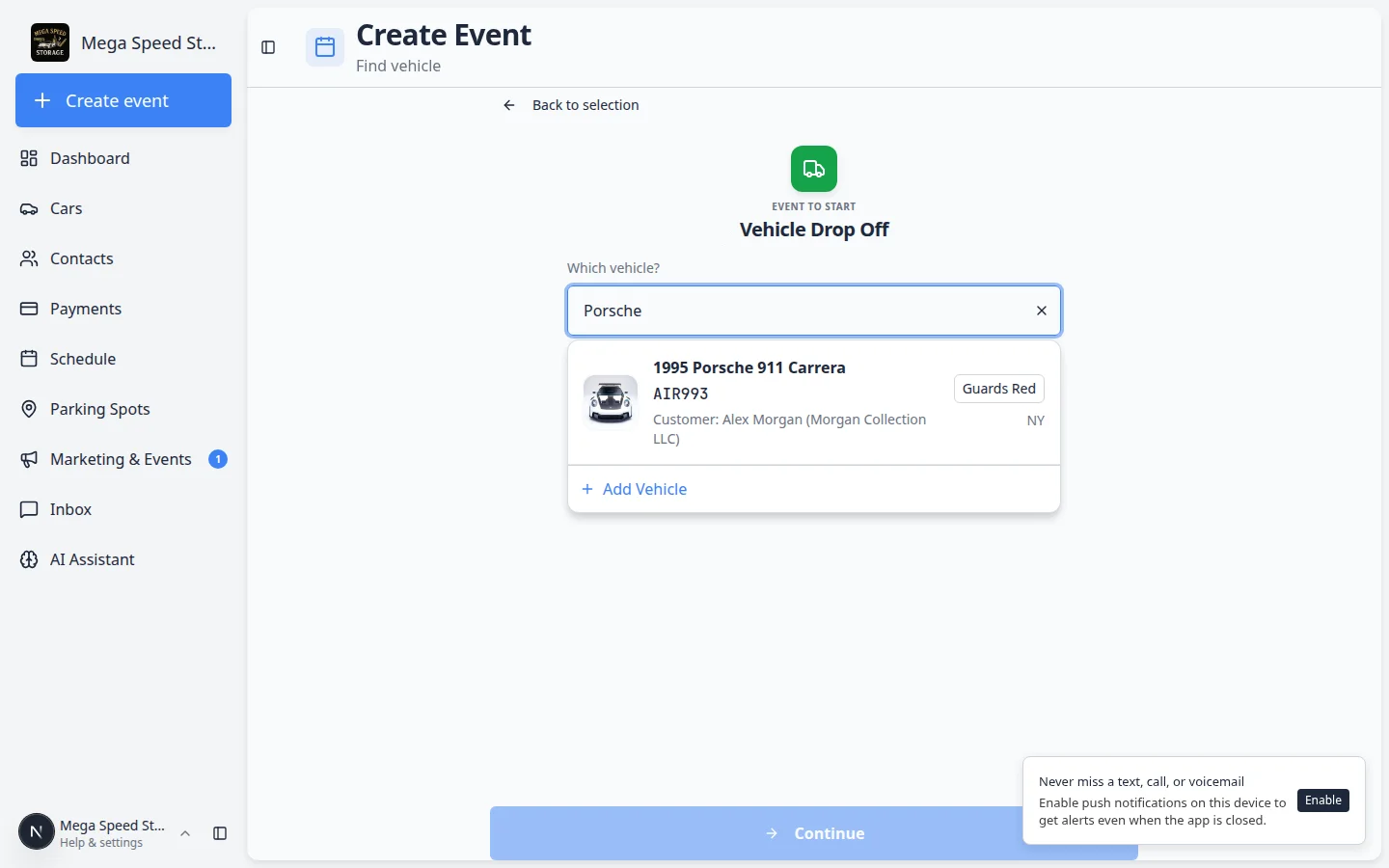
Creating an event on a phone should not hide the search results behind a giant hero block.
Why we built it
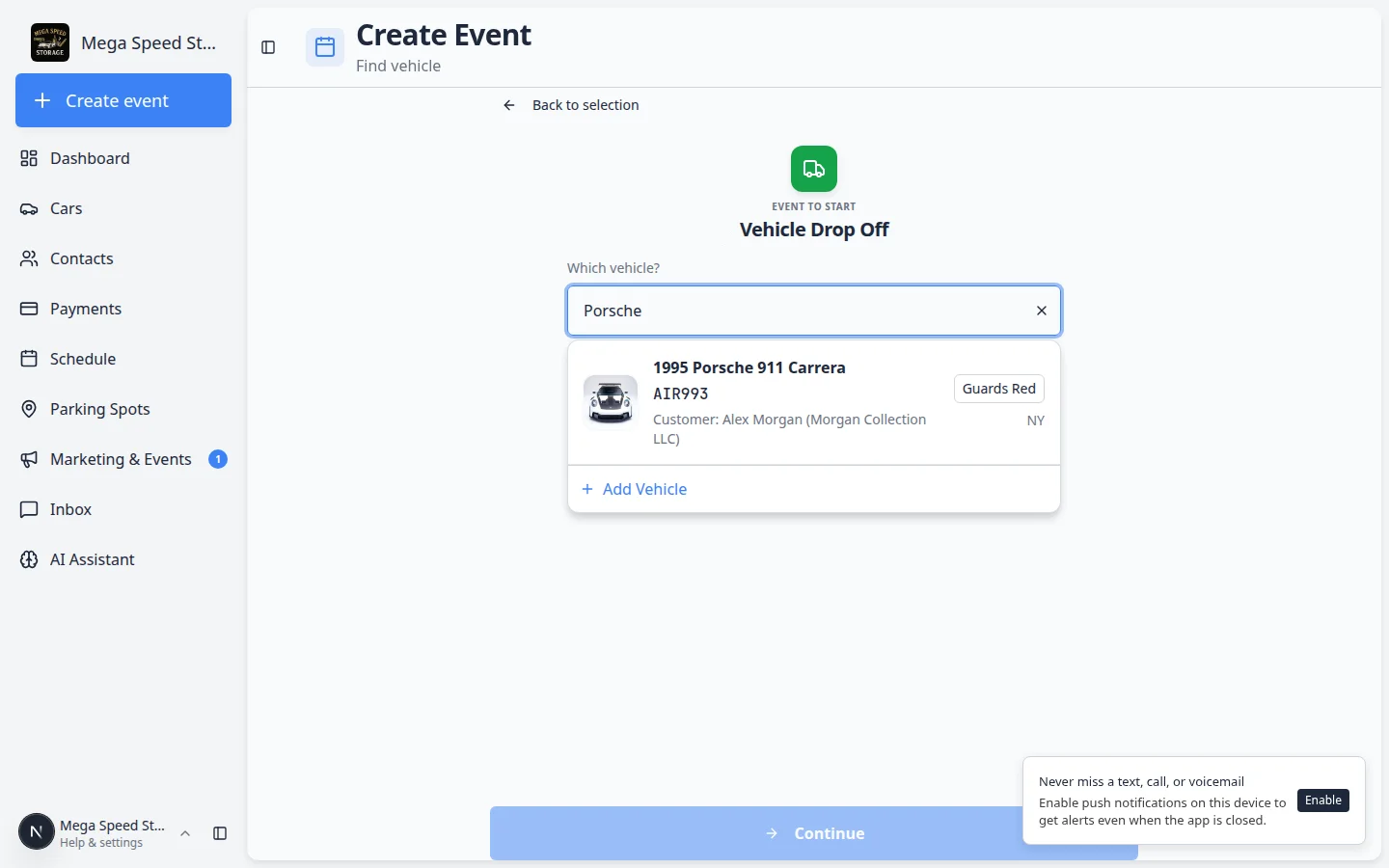
After you pick an event type on Create Event, many flows ask for a vehicle or customer before Continue. On narrow screens the type icon, title, and description used to compete with the autocomplete for vertical space. Easier event search on smaller screens detects when search is active—focus in the car or customer field or text already typed—and compacts the event summary (smaller icon, shorter title, description hidden) while shifting layout so the picker and results sit higher on the page. When you select a car or customer, the summary returns to the full confirm view with plate, color, and owner details visible again.
Who it is for
- Shop staff starting walkthroughs from a phone or small tablet on the floor.
- Swap and transport events that require two vehicle searches in one flow.
- Teams using the Android staff app or a home-screen shortcut to Create event.
What you can do
- Tap Search by plate, make, model, or VIN and see more room for matches on compact widths.
- Read a trimmed Event to start header while searching; full description returns when search is not active.
- Confirm the selected vehicle or customer in the summary card before choosing options and continuing.
- Use Change vehicle (X) to reopen search with the same compact layout.
How it fits your day
Start a detail event from your pocket: pick the type, search plate partials without scrolling past marketing-sized typography, tap the correct car, verify the summary, then hit Continue into the session.
Get started
On a phone, open Create Event, choose a vehicle-scoped type, focus the search field, and confirm results are readable; select a car and verify the full summary returns before continuing.
Questions about this update?
Book time with our team or browse the rest of the changelog.